
Microsoft Office 365 (ProPlus)
Students can download Microsoft Office 365 ProPlus for free using their MIMS accounts. Access the installation guide to get started.
Microsoft Office 365 (ProPlus)
Dear Students,
As part of the MOE-Microsoft Student Use Benefits, students can use their MIMS (Student iCON) accounts to download Office Applications such as Excel, PowerPoint, Word, etc.
This access is free for students whose parents have given their consent to MOE’s centrally provisioned digital tools.
Office 365 ProPlus is a suite of productivity tools (including full version of Excel, PowerPoint & Word) that is installed on your personal desktop, laptop or mobile device and Personal Learning Device (PLD).
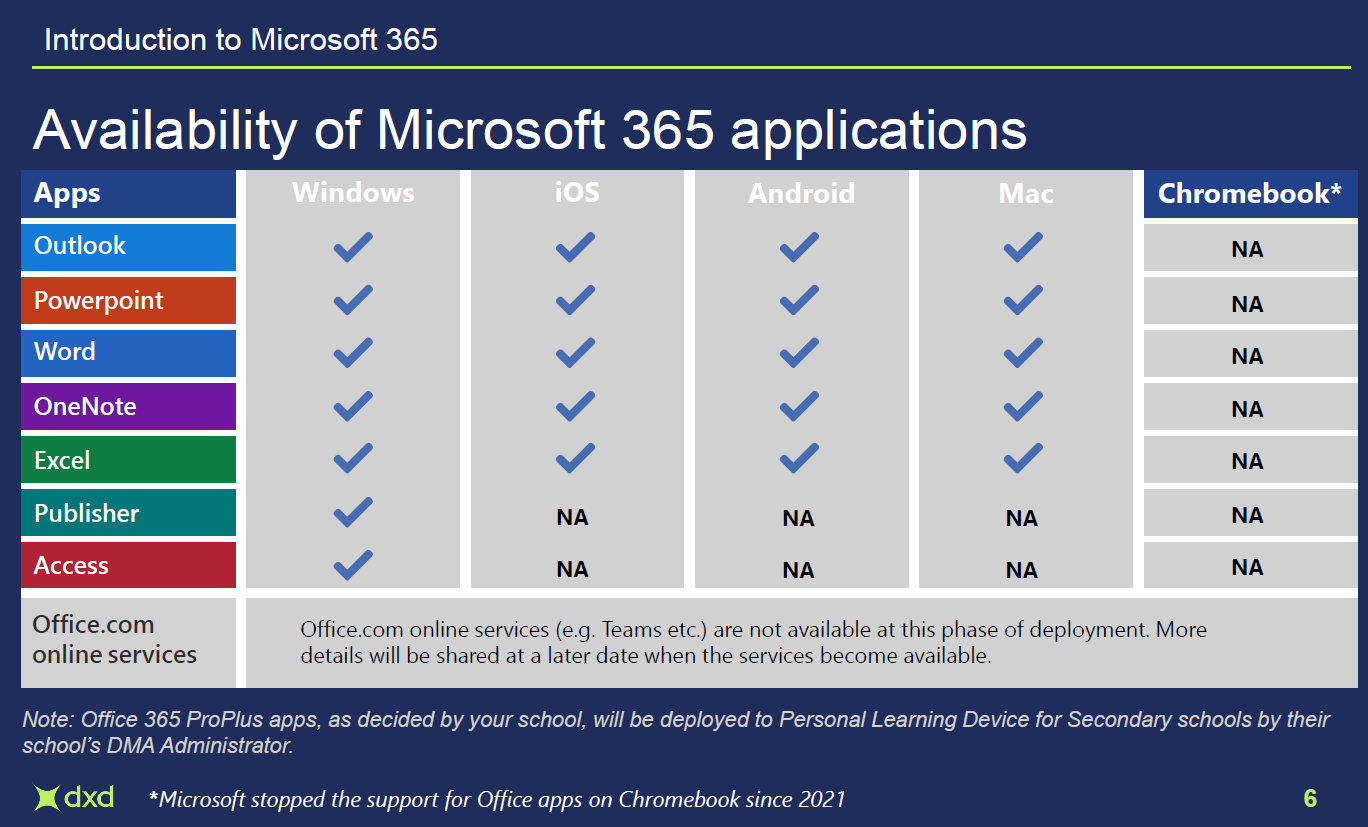
Table showing Microsoft 365 app availability across Windows, iOS, Android, Mac, and Chromebook platforms.
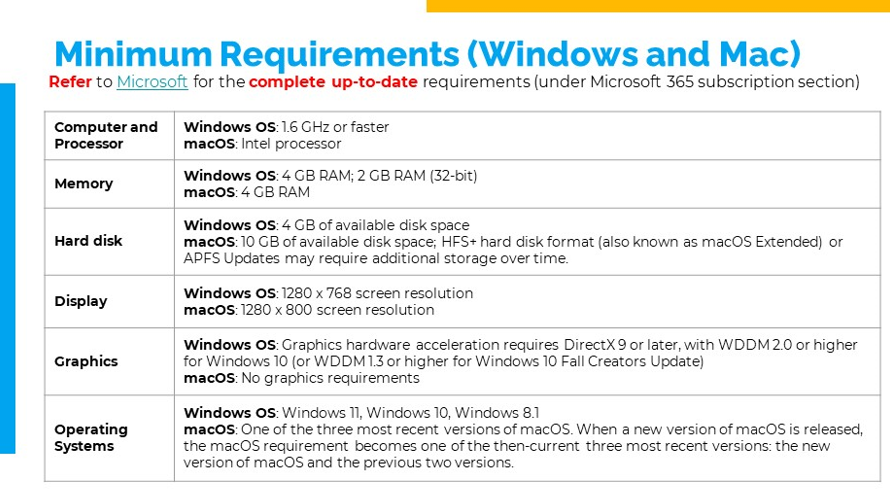
Table listing minimum system requirements for Windows and Mac, covering processor, memory, disk, display, graphics, and OS.
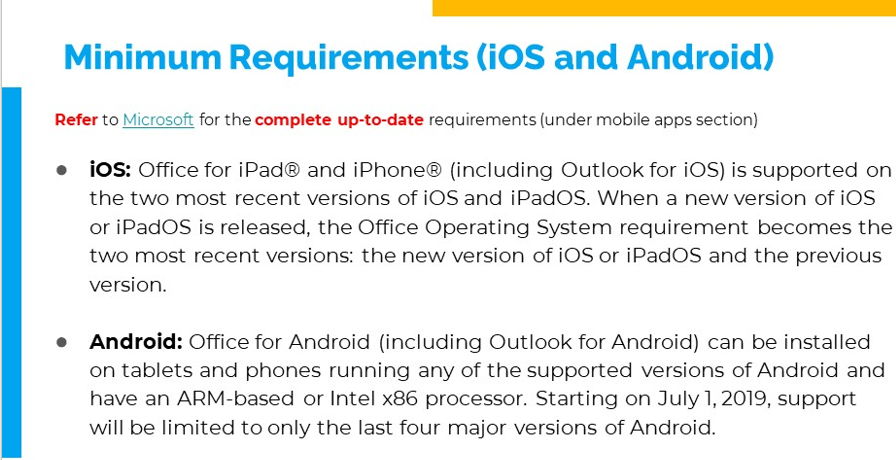
Text listing minimum requirements for iOS and Android to run Microsoft Office apps on mobile devices.
View the guide on how to install and activate the Office 365 ProPlus (PDF, 1.1MB) (opens in new tab).